Site inspection reports with photos, actions and PDF
An observation becomes useful when its location, action and next responsible contact are clear. Record your site inspection in the project and turn it into a report others can follow.
By Manuel Streit · lol.marketing LLC
Updated:
Inspection and attendees
Record the date, notes and attendees in the relevant project. Project contacts help identify the people involved; listing them does not grant account access.
Describe issues precisely
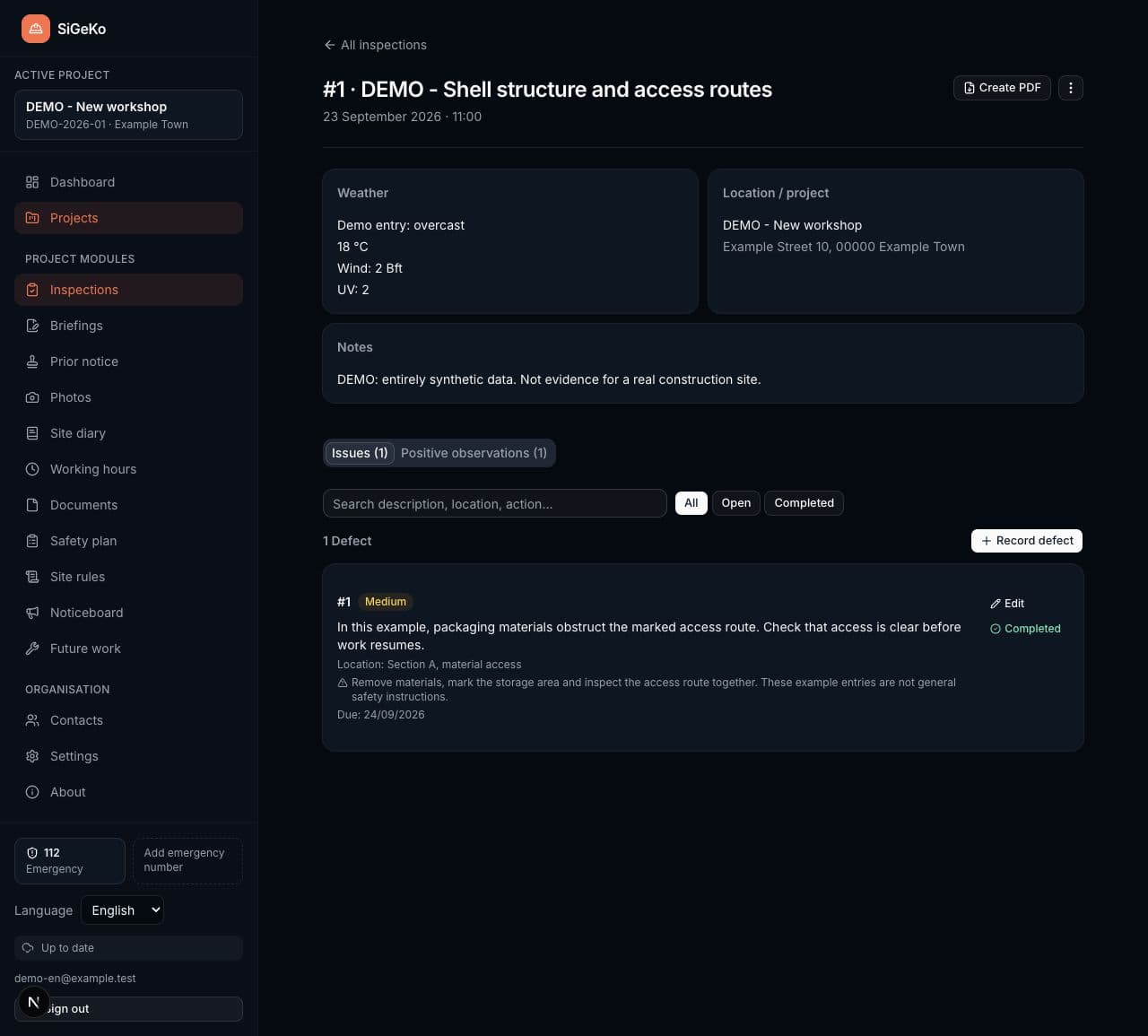
Add photos, the location, risk assessment, required actions, responsible contacts and a deadline. A photo and a specific description make an observation easier to find during the next visit.
Share a German or English report
Choose the report language and the content to include in the PDF. Review photos, outstanding issues and contact details before sharing. Positive observations can also form part of the record.
From site records to a clear report
Record on site
Open the inspection, describe the observation and add relevant photos.
Agree an action
Agree responsibility and timing with the people involved and record them against the issue.
Follow up and report
Update the status after checking the work and share the reviewed PDF report.
A look at the workflow
Synthetic demo data · This example contains no real customer or construction-site records.
Professional context in Germany
Section 3 of the German Construction Site Ordinance covers coordination of cooperation and oversight of proper working procedures. Section 6 of the German Occupational Safety and Health Act concerns records of risk assessment, measures and review. An inspection report can contribute information; it does not automatically constitute a complete risk assessment.
Explore the workflows
Can I export photos and actions together?
Yes. Inspection records connect issues, actions and their images. Review the content selection in the PDF dialog and the resulting report.
Do attendees need their own SiGeKo account?
Not to be listed as a project contact or attendee. You document the inspection in your individual account and can share the report afterwards. Shared team workspaces are not included at launch.
Start with your next project
Free at launch. Your individual account, your site documentation.